


Mahjong Crush: Tile Match
4.8265.00 Reviews
App Specs
- Version
- 1.0.2
- Updated On
- License
- Free
- Downloads
- 100,000+
- Developer
- reupload
- Categories
- Casual
- Platform
- Android
Screenshots
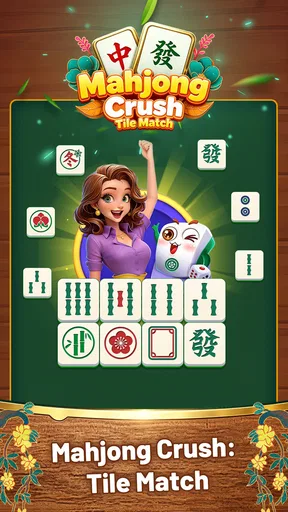
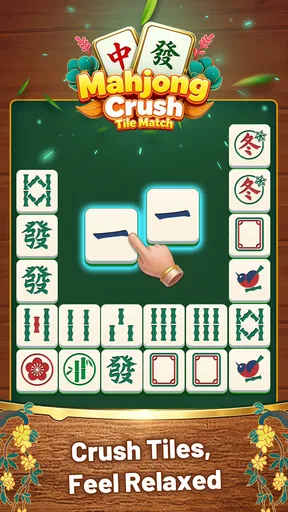
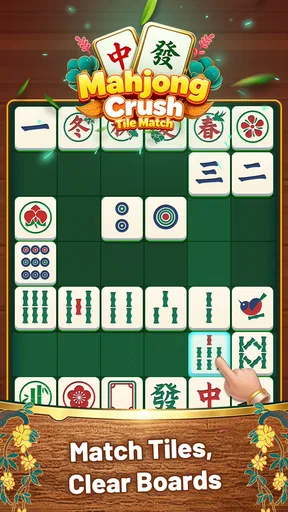
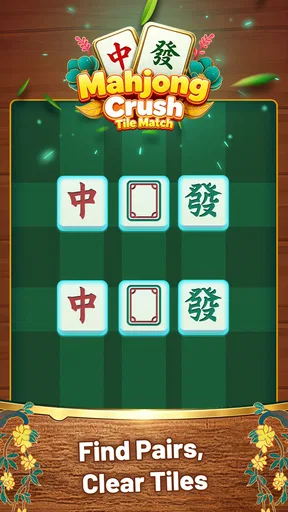
 Analysis by AppCompare
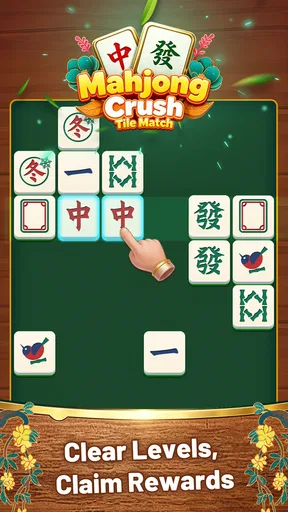
I approached Mahjong Crush: Tile Match as the sort of casual game I could open for a short break rather than a title that demands a long session. Its basic idea is easy to understand: arrange or slide tiles, look for matching suits, and remove pairs until the board is clear. That simplicity is its main appeal, but it also means the experience depends heavily on how clearly the board communicates what I can do next.
This is a free game from reupload, listed in the casual category and rated for mature players aged 17 and over. The listing shows a 4.8 average from around 13 thousand ratings, with more than 100 thousand installs. Those figures suggest that the compact puzzle format has found an audience, although they do not change the central question I had while playing: does the game make each move feel understandable and fair?
My answer is generally positive, with an important qualification. Mahjong Crush: Tile Match is at its best when I want a quiet matching puzzle that I can learn immediately. It is less suitable if I am looking for a deep mahjong simulation, a large progression system, or a game that explains every possible problem in detail. The practical experience comes down to keeping the board readable, making deliberate moves, and knowing when a failed interaction is probably caused by the phone rather than the puzzle itself.
Getting comfortable with the board before making fast moves
I like to begin by reading the whole board rather than chasing the first matching pair I spot; that gives me a clearer sense of how a move might affect the options around it. This section is about building that patient habit and making the sliding interaction feel more deliberate, before looking at how the game’s visual language supports the puzzle.
Why the first few moves can feel less obvious than expected
The store summary sounds straightforward, but sliding tiles and matching suits are not quite the same as simply tapping identical pictures. When I first approach a board like this, my instinct is to remove the most obvious pair immediately. That is not always the best habit. A move can change the arrangement around it, so a quick match may leave a less useful layout afterward.
I found it better to spend a moment scanning the whole board before touching anything. I look for pairs that are easy to access, then check whether moving one tile will cover, separate, or expose another useful option. This small pause makes the game feel more controlled and reduces the frustration of making a legal move that produces a poor follow-up position.
The visual design has an especially important job here. Matching games live or die by whether the symbols remain distinct when several tiles sit close together. If I am playing on a smaller phone, I hold it at a comfortable distance and avoid rushing through crowded sections. A screen that is technically responding can still feel confusing if my finger hides the suit I am trying to identify.
Worth Reading Before You Choose

EA SPORTS FC Mobile 26 Is a Bigger Football Game, but It Takes Time

Flipboard Shows What News Apps Must Do Beyond the Feed

Switching to Android Auto Means Rethinking Your Driving Routine

Google Calendar Makes a Crowded Week Easier to Manage

Ludo King Makes the Most of the Minutes Between Plans

Baby Panda World Brings Quick Play to Modern Phones, but Its Game Library Feels Busy
The difference between a puzzle mistake and a control problem
When a tile does not move as expected, I do not immediately assume the board is broken. There are several ordinary possibilities: my finger may have started on the wrong part of the tile, the gesture may have been too short, or another tile may have blocked the intended path. Repeating the same gesture more forcefully usually does not help.
Instead, I lift my finger completely, wait briefly, and try again with a slower, clearer motion from the center of the tile. If the game uses a tap-and-slide style of interaction, separating those actions helps me understand what the board is accepting. This is one of the more useful habits for a title with such a minimal control scheme because a small input error can look like a strategic error.
I also avoid playing while the phone is handling several other tasks. A delayed response can make me repeat a move, and repeated input is risky in a puzzle where one unintended action may change the board. This is not a special trick built into Mahjong Crush; it is simply a better way to protect a careful sequence.
A setup routine that prevents avoidable confusion
Before spending time on a difficult board, I make sure the phone is responding normally elsewhere. I test a simple swipe in another app, check that touch input is registering consistently, and clear anything physically covering the display. A damp screen, thick protector, or case edge near the gesture area can make a sliding puzzle feel unreliable even when the game itself is working normally.
I also check that the game has finished opening before making the first move. Tapping repeatedly during a slow start is a common source of accidental actions. My preferred routine is simple: launch the game, wait until the board is stable, then make one deliberate move and watch the result before continuing.
Because the game is free, it is easy to install it casually and forget about the basic environment around it. I still recommend using the official Android or iOS store route appropriate to the device, keeping the operating system within the listed compatibility range, and allowing the current installation to settle before judging performance. The minimum requirement is Android 6.0, while the current version is 1.0.2, so older devices deserve a little more patience during startup and board transitions.
How I recover when a session stops behaving normally
My first recovery step is to stop interacting with the board for a few seconds. If the screen is still visible but a move has not completed, additional taps can make it harder to tell what happened. I wait, then try one clean action. If the board remains unresponsive, I close the game and reopen it rather than repeatedly pressing the same area.
For a more persistent problem, I check the basics in order: available device storage, system responsiveness, and whether the game is current through the relevant app store. I avoid jumping straight to deleting local app information because that can remove a session state or other local progress. Reinstalling is a last resort, not a routine troubleshooting step, especially when I have not established whether the issue is actually inside the game.
There is also a useful distinction between a frozen board and a difficult board. If the interface still reacts to other controls but the chosen tile cannot move, I treat that as a rules or positioning issue first. If the entire screen ignores touch, the problem is more likely environmental. Making that distinction prevents unnecessary resets and helps preserve a puzzle position that may still be recoverable.
Small workflow changes that make matching more reliable
I play in short, intentional rounds rather than leaving the game open while switching constantly between apps. That reduces the chance of returning to a stale or partially interrupted session. If I need to pause, I finish examining the current arrangement and then leave the game alone instead of touching several tiles just before changing tasks.
For crowded boards, I use a three-pass method. First, I identify every obvious matching suit. Second, I note which pairs are easiest to reach without disturbing the rest. Third, I choose the move that leaves the largest number of visible options. This is more dependable than simply selecting the first pair I notice, and it gives the puzzle a little more thought without turning it into a complicated strategy game.
Another practical tip is to keep my finger movement compact. Large swipes can pass over neighboring tiles or begin outside the intended target. A short, centered gesture is easier to repeat and easier to diagnose when it fails. If the same tile responds inconsistently, I try another area of the screen before deciding that the game has a fault.
When the app is probably not the cause
Not every interruption belongs to Mahjong Crush. A phone that is overheating, nearly out of storage, or struggling with many background processes can make any small game feel unstable. I have learned to compare the game’s behavior with ordinary phone actions: if menus, scrolling, or typing are also delayed, restarting the device is more sensible than blaming the puzzle.
Touch problems can be especially misleading. If only one edge of the screen is unreliable, the issue may involve the case, protector, or the device’s touch layer. If the whole phone responds slowly, the game is only exposing a broader performance problem. Testing another simple app gives me a quick reference point without requiring technical tools.
Network conditions can also confuse the diagnosis when an app is opening, updating, or trying to complete a store-related action. I do not assume that every delay during launch is a board problem. I check the connection and store status in the normal way, then retry once the phone is stable. That approach is safer than repeatedly reinstalling or changing system settings without a clear reason.
The mature rating is another point worth considering before installation. A player choosing a puzzle specifically for a child should not treat the simple mechanics as evidence that the game is child-oriented. The listed age rating is 17 and over, so I would choose another option for a family device or a younger player, even if the matching format itself appears easy to understand.
How it compares with familiar alternatives
Compared with a traditional mahjong game, this title feels more like a quick tile-matching puzzle than a complete recreation of the tabletop game. I would choose it when I want immediate visual matching and short decision cycles. Someone expecting the formal rules, scoring traditions, or longer strategic structure of classic mahjong may find the experience too light.
Compared with a basic match-three game, the appeal is different. Mahjong Crush asks me to pay attention to suits and board access rather than simply forming lines of three. That gives each move a more deliberate quality, but it may feel slower to a player who prefers constant animation and rapid chain reactions.
It also sits apart from large casual games built around extensive events, collections, or social systems. The leaner format is a strength when I want fewer distractions, but it is a weakness if long-term progression is the reason I play mobile games. I would not install this expecting a broad content ecosystem; I would install it for the board in front of me.
Who will enjoy it, and who should skip it
I think this game suits players who like visual organization, modest pressure, and puzzles that can be understood without a long tutorial. It works well for a short commute, a waiting room, or a quiet break when I want something more engaging than passive scrolling. The free price makes trying it easy, and the casual format does not require me to commit to a lengthy session.
A realistic everyday use case is a ten-minute pause between tasks. I open the game, scan the available pairs, make a few careful slides, and stop when I need to return to work. That kind of session is where the design makes the most sense. I do not need to remember a complex story or rebuild a large strategy after a break.
I would skip it if I need a clearly child-safe game, a deep mahjong ruleset, or a highly developed competitive experience. I would also look elsewhere if every move must feel fast and spectacular. The compact matching loop rewards attention more than excitement, and players who dislike repeating a focused board routine may find it too narrow.
My practical verdict after using it
Mahjong Crush: Tile Match is a focused casual puzzle with an approachable premise and a useful short-session rhythm. Its strongest quality is that I can understand the objective quickly, then improve my results by slowing down and reading the board instead of relying on frantic tapping. The best experience comes from treating each move as a small decision rather than assuming every visible pair is equally valuable.
The main friction is not complexity but clarity. A missed gesture, a crowded arrangement, or a sluggish phone can make a simple action feel ambiguous. The setup and recovery habits above reduce that problem: wait for the board to settle, use centered gestures, test the phone when input seems unreliable, and avoid destructive resets until other causes have been checked.
With its free access, casual classification, current version 1.0.2, and broad install base, it is an easy game to try for the right audience. I would recommend it to a friend who wants a quiet matching puzzle and is comfortable with the mature age rating. Choose it for focused tile play, not for a full mahjong simulation or a large progression adventure. That expectation makes the difference between a satisfying little time-filler and a disappointing substitute for a much deeper game.
Pros
- Simple tile-matching rules make it easy for beginners to start.
- Short levels fit well into quick gaming sessions.
- Relaxing gameplay can provide a pleasant break from daily routines.
- Progressive challenges help maintain interest over time.
- Offline play is useful when Wi-Fi or mobile data is unavailable.
Cons
- Some levels may feel repetitive after extended play.
- Hints and boosters can reduce the challenge for experienced players.
- Difficulty spikes may require several attempts to complete a level.
- Frequent ads may interrupt the flow between rounds.
- Small tile details can be harder to distinguish on compact screens.
FAQs for Mahjong Crush: Tile Match
What is Mahjong Crush: Tile Match, and how is the game played?
Mahjong Crush: Tile Match is a casual puzzle game based on the classic tile-matching concept. You clear the board by finding and pairing identical tiles, but a tile can usually be selected only when it is not blocked by another tile and has an open side. The objective is to remove every tile before running out of available moves or time, depending on the level.
Is Mahjong Crush: Tile Match suitable for beginners?
Yes, the game is generally easy to understand for beginners because its main mechanic is introduced through simple matching puzzles. Early levels normally provide a relaxed way to learn how covered and uncovered tiles work. As you progress, layouts become more complicated and may require planning, careful observation, and occasional use of hints or other assistance features.
Does Mahjong Crush: Tile Match require an internet connection?
Many tile-matching levels can often be played without a continuous internet connection, which makes this type of game convenient for travel or short offline sessions. However, features such as advertisements, cloud synchronization, daily rewards, leaderboards, events, updates, and in-app purchases may require internet access. Availability can also vary according to the version installed and your device.
Are there hints, boosters, or other assistance tools in Mahjong Crush: Tile Match?
Mahjong Crush: Tile Match may include helpful tools designed to prevent players from becoming stuck, such as hints, shuffles, undo options, or limited boosters. These features can be useful on boards with difficult layouts, but they may be restricted by an in-game currency, a waiting period, or a limited number of uses. It is worth checking the rules before spending any rewards.
Is Mahjong Crush: Tile Match free to download, and does it contain advertisements?
The game is typically offered as a free download, allowing players to access its core matching puzzles without an upfront purchase. Free gameplay may be supported by advertisements, including ads shown between levels or after using certain rewards. Depending on the version, optional in-app purchases may also be available for coins, boosters, ad removal, or additional conveniences.


